![Logo Negativo-4.png]](https://help.ifreturns.com/hs-fs/hubfs/Logo%20Negativo-4.png?height=40&name=Logo%20Negativo-4.png)
Add Any Language to Your Returns Portal in Minutes
What's Changed:
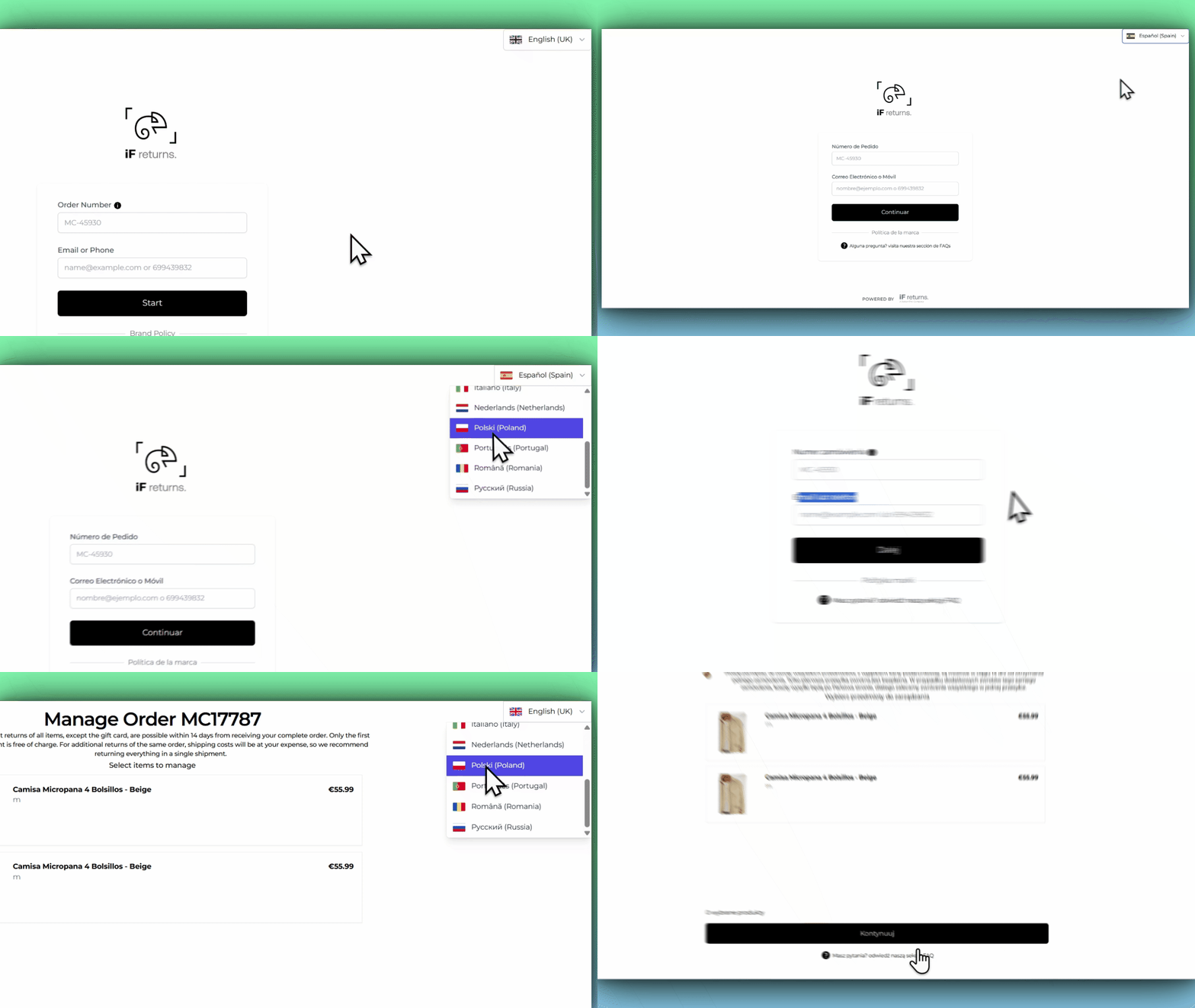
Your returns portal can now support any language your customers speak. To get a new language set up, simply contact the iF Returns support team — they will take care of everything on your behalf. The system automatically generates translations for every part of the portal — return reasons, refund options, shipping methods, buttons, labels, error messages, and customer emails. The iF Returns team reviews everything before it goes live, and once confirmed, the new language is immediately available to your customers. No technical ticket, no waiting for a developer, no new deployment.
AI-Powered Translations — Reviewed Before Going Live
What's Changed:
All translations are generated automatically using AI, which means they are fast, consistent, and cover every part of the portal at once. Before any translation goes live, the iF Returns team has the opportunity to review it and make adjustments. Once confirmed, the language is activated immediately. If return reasons, refund methods, or email templates are ever updated in the future, translations are kept up to date automatically.
Customers Always See the Right Language
What's Changed:
If a customer visits the returns portal in a language that has not been configured, the portal now automatically shows the closest available language instead of displaying errors or missing text. This means customers always have a smooth experience, even if their exact language or regional variant is not yet set up.
What Gets Translated
What's Changed:
Every part of the returns experience is covered. When a new language is added, the following are all translated automatically: the reasons customers can select for their return, the refund and exchange options available to them, the shipping methods and estimated delivery timeframes, all buttons, labels, and messages throughout the portal, and every customer email — including the subject line, body text, and any dynamic details like order numbers or store addresses.