![Logo Negativo-4.png]](https://help.ifreturns.com/hs-fs/hubfs/Logo%20Negativo-4.png?height=40&name=Logo%20Negativo-4.png)
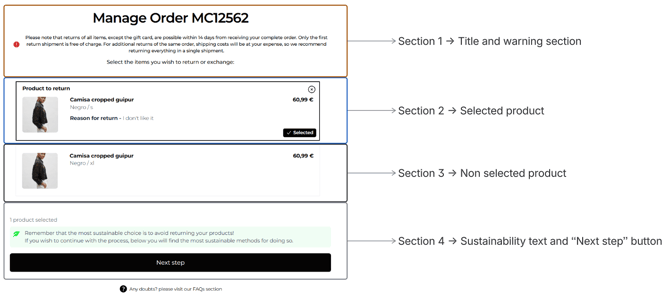
This page is divided into 4 sections to better understand what can be change:
-
Title and warning section
-
Selected product
-
Non selected product
-
Sustainability text and “Next step” button
-
Let’s have a look on each section one by one and see in details what can be configured:
1.Title and warning section
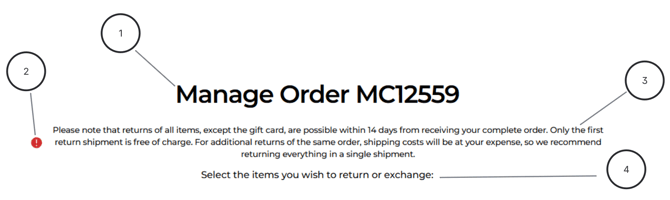
1. Title text color: is configured by general title text color
2. Warning Icon
-
Show/Hide Icon: Boolean
- Warning icon color: HEX
3. Warning block
- Warning background color: HEX

- Warning text color: HEX

- Warning font size: Pixel number (0px)
- Warning text alignment: Left, Center, Right
4. Subtitle text color: is configured by general subtitle text color
2.Selected product
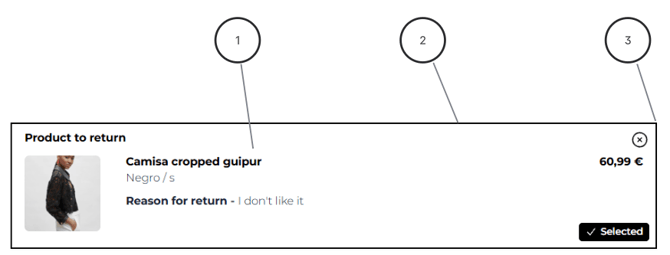
1. Background color of the container: HEX
2. Border color of the container: HEX
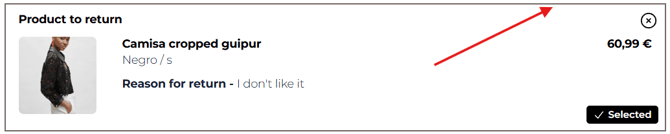
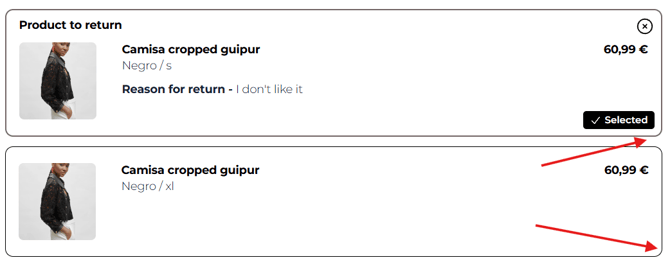
3. Border radius of the container: pixel number (0px)
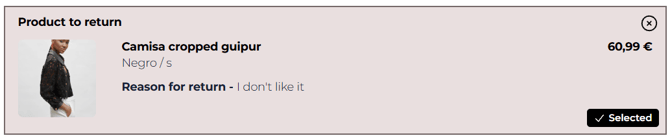
NOTE that these parameter affect both selected and non selected containers. It means that there is no way to customize border radius of containers individually. See example below:
3.Non selected product
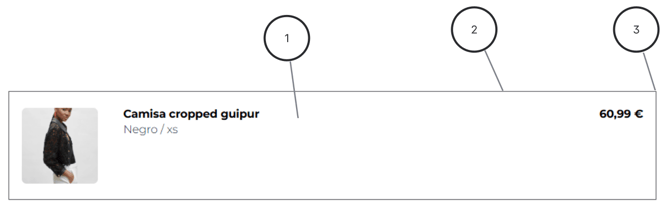
1. Background color of the container: HEX
2. Border color of the container: HEX

3. Border radius of the container: pixel number (0px):

4.Sustainability text and “Next step” button
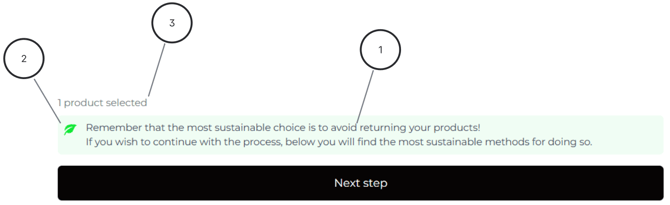
1. Hide/Show Sustainability message: Boolean
2. Sustainability icon color: HEX
3. Product counter text color: HEX